
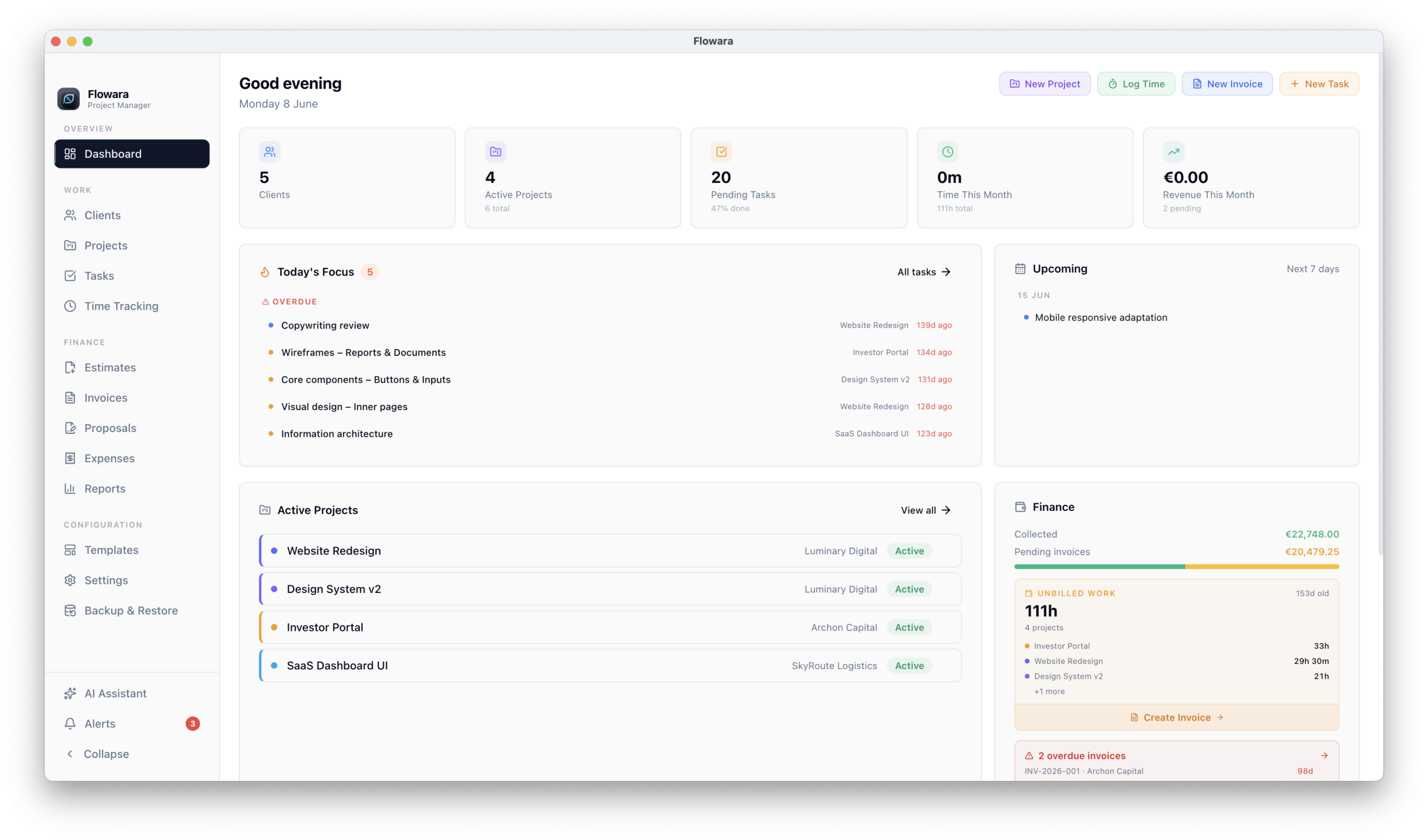

Invoicing is one of those tasks that should take 10 minutes and somehow takes an hour. You finish the work, open your invoice app, manually enter the hours you tracked somewhere else, double-check the rates, format the PDF, and send it. Then you wait. Then you follow up. Then you follow up again.
If you’re a freelancer on a Mac looking for a better way to handle invoicing, this guide covers the best options available in 2026.
What Makes a Good Freelance Invoice App for Mac?
Not all invoice tools are equal. Here’s what actually matters when choosing one:
1. Does it connect to your time tracking? If you bill by the hour, your invoice app needs to know how many hours you worked. Most tools don’t. You end up copying numbers manually, which is slow and error-prone. The best freelance invoice apps pull time entries directly into invoices without any manual step.
2. Can it send invoices automatically? Recurring clients, monthly retainers, overdue reminders — these should happen without you having to remember. Automation saves hours per month.
3. Does it handle EU VAT correctly? If you work with European clients, you need multi-rate VAT support and ideally EU VIES validation. Many tools built for the US market handle this poorly.
4. Where does your data live? Cloud invoice tools store your client and financial data on external servers. That means a subscription required to access your own invoices, and someone else holding sensitive financial information. Local tools keep everything on your Mac.
5. Is it Mac-native? A Mac-native invoice app can integrate with macOS, run offline, and feel like it belongs on your machine rather than a web page stuck in a browser tab.
The Best Freelance Invoice Apps for Mac in 2026
Flowara
Best for: Mac freelancers who want invoicing connected to time tracking and project management, fully offline.
Flowara handles invoicing as part of a complete freelance business app. Time entries link directly to projects, and invoices pull from tracked hours automatically. No copy-paste, no manual entry of hours you already logged.
Key invoicing features:
- Invoices pull directly from tracked time entries
- Multi-tax VAT support — different rates on individual line items
- EU VIES VAT number validation built in
- Stripe and PayPal payment links embedded in PDF and email
- Recurring invoices for monthly retainers
- Deposit and advance invoices with balance tracking
- Automated overdue reminders via SMTP
- Credit notes
- Custom HTML/CSS print templates
- Timesheet PDF attachment on invoice emails
- CSV and PDF export for accountants
What sets it apart: Everything is local. Your invoices, client data, and financial history live on your Mac in a SQLite database. No cloud subscription required to access your own invoices. Works fully offline.
Pricing: Free tier available. Pro at €5.99/month or €49.99/year. 30-day free trial, no credit card required.
Platform: Mac only (macOS 13+)
Download Flowara on the Mac App Store
FreshBooks
Best for: Freelancers who want polished invoicing with strong accounting features and accountant integration.
FreshBooks is one of the most established invoicing tools for freelancers. It handles invoicing, expense tracking, and basic accounting well, and integrates with many bookkeeping services.
Key invoicing features:
- Professional invoice templates
- Online payment via credit card or bank transfer
- Recurring invoices
- Late payment reminders
- Expense tracking with receipt scanning
- Time tracking (basic)
- Accounting reports
Limitations:
- Cloud only — your data lives on FreshBooks servers
- Time tracking is basic and not deeply connected to invoicing
- No offline mode
- Pricing increases as you add more clients
Pricing: Starts at around $17/month. No permanent free tier.
Platform: Web, iOS, Android
Wave
Best for: Freelancers who need free invoicing with basic accounting and don’t mind cloud storage.
Wave is one of the few genuinely free invoicing tools. It covers invoicing, basic accounting, and expense tracking. Payment processing is available for a fee per transaction.
Key invoicing features:
- Free invoicing with professional templates
- Online payment processing (fee per transaction)
- Recurring invoices
- Basic expense tracking
- Basic accounting
Limitations:
- Cloud only
- Time tracking not included
- Support is limited on the free plan
- Less suitable for EU VAT requirements
- No offline mode
Pricing: Free. Payment processing fees apply.
Platform: Web, iOS, Android
Bonsai
Best for: Freelancers who want invoicing as part of a client-facing workflow with proposals and contracts.
Bonsai connects proposals, contracts, and invoices in a single client flow. It’s particularly strong for freelancers who send proposals before starting work and want everything to flow into an invoice automatically.
Key invoicing features:
- Invoices connected to proposals and contracts
- Online payment
- Recurring invoices
- Basic time tracking
- Automated reminders
Limitations:
- Cloud only
- Time tracking is basic
- Pricing climbs with add-ons
- No EU VIES VAT validation
- No offline mode
Pricing: Starts at around $25/month.
Platform: Web, iOS, Android
AND.CO (Fiverr Workspace)
Best for: Freelancers already on the Fiverr ecosystem who want a free basic invoicing tool.
AND.CO offers a free plan with invoicing, contracts, and basic time tracking. It’s owned by Fiverr and has been largely static in development for a few years.
Key invoicing features:
- Free invoicing
- Contracts
- Basic time tracking
- Payment via Stripe
Limitations:
- Cloud only
- Development has slowed significantly
- Limited customization
- No EU VAT support
Pricing: Free tier available. Paid plan at around $18/month.
Platform: Web, iOS, Android
Comparison Table
| Feature | Flowara | FreshBooks | Wave | Bonsai | AND.CO |
|---|---|---|---|---|---|
| Connected time tracking | ✓ | Partial | ✗ | Partial | Partial |
| Multi-tax VAT | ✓ | Partial | ✗ | ✗ | ✗ |
| EU VIES validation | ✓ | ✗ | ✗ | ✗ | ✗ |
| Stripe / PayPal links in PDF | ✓ | ✗ | ✗ | ✗ | ✗ |
| Recurring invoices | ✓ | ✓ | ✓ | ✓ | ✓ |
| Deposit invoices | ✓ | ✗ | ✗ | ✗ | ✗ |
| Automated reminders | ✓ | ✓ | ✓ | ✓ | ✗ |
| Credit notes | ✓ | ✓ | ✓ | ✗ | ✗ |
| Offline / local | ✓ | ✗ | ✗ | ✗ | ✗ |
| Mac native | ✓ | ✗ | ✗ | ✗ | ✗ |
| Free tier | ✓ | ✗ | ✓ | ✗ | ✓ |
| Starting price | €0 / €5.99 mo | ~$17/mo | Free | ~$25/mo | Free / $18/mo |
Which Freelance Invoice App Is Right for You?
Choose Flowara if you’re on a Mac, bill by the hour, and want your time entries to flow directly into invoices without any manual step. Particularly strong for EU freelancers who need multi-tax VAT and VIES validation.
Choose FreshBooks if you work closely with an accountant, need strong expense tracking with receipt scanning, and don’t mind a monthly subscription.
Choose Wave if you’re looking for a genuinely free option and your invoicing needs are straightforward.
Choose Bonsai if you send proposals before starting projects and want everything to flow from proposal to contract to invoice in one place.
Choose AND.CO if you’re already in the Fiverr ecosystem and need something simple and free.
The Hidden Cost of Disconnected Tools
The real cost of most invoice apps isn’t the subscription. It’s the time you spend copying data between tools.
If you track time in one app and invoice in another, you’re doing manual data entry every time you send an invoice. At 30 minutes per invoice, that’s 6 hours a month if you send 12 invoices. Over a year, that’s 72 hours spent moving numbers from one box to another.
A freelance invoice app that connects to your time tracking eliminates that entirely.